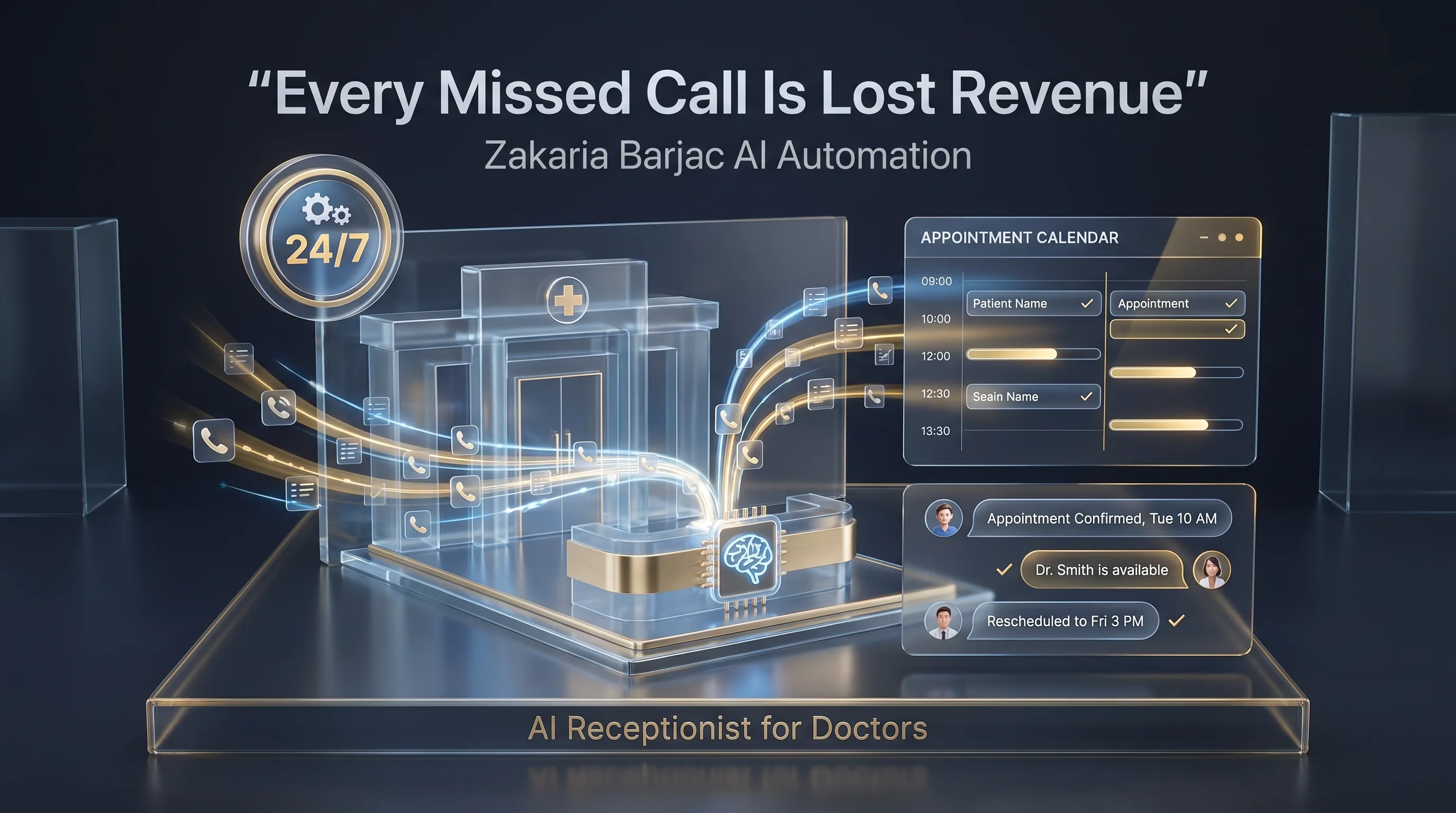
An AI receptionist gives doctors and clinics 24/7 call capture, appointment booking, and patient follow-up support.
In many medical practices, the receptionist faces uneven call demand: Mondays, Friday afternoons, and the days after public holidays often see surges that even a fully staffed front desk cannot absorb. Calls roll, queues form, and a portion of patients hang up.
That's not a receptionist problem; it's a phone-system problem. An AI receptionist for doctors doesn't replace your front desk — it absorbs overflow, covers after-hours windows, and reduces the silent attrition of patients who tried to book and gave up.
This article is intended as practical guidance for medical practice owners considering whether AI call answering fits their setup.
Why this problem matters
A few structural reasons missed calls bleed medical practices:
- Patient demand is asymmetric. Call volume tends to spike at predictable times (Mondays, after holidays, around flu season). Even well-staffed practices often can't handle the peaks live.
- High-intent calls can be the ones missed. Acute symptoms drive urgent calls. Routine checkups can wait. The calls most likely to be missed during peak times are also among the highest-value to capture promptly.
- Patient lifetime value is unforgiving. A new patient lost on a missed first-call isn't a single consultation lost — it's potentially years of care delivered elsewhere. The compounding effect makes call answering a higher-leverage operational issue than most practices treat it as.
The pattern most practice managers will recognise: it's hard to know what you didn't capture, because the missed patient never enters the system.
How the AI doctor's receptionist works
The flow is similar to a dental setup, with a few medical-specific considerations.
- Trigger. The practice line forwards to the AI when busy, after-hours, or always — your choice.
- Greeting and disclosure. Practice name, plus a clear note that the patient is speaking with an automated assistant.
- Symptom triage (light, not clinical). The AI is configured to recognise emergency-flagged language (chest pain, severe bleeding, breathing difficulty, mental health crises) and immediately route those calls to emergency services or an on-call clinician. The AI does not diagnose.
- Reason for call. Booking, repeat script request, sick note request, results query, or new patient registration.
- Identification. Existing patients confirmed via standard identifiers; record context pulled from the practice management system if available.
- Booking or routing. Routine bookings handled directly. Complex queries routed to a nurse, doctor, or practice manager via a callback queue.
- Confirmation and follow-up. Appointment written into the calendar, SMS or messaging confirmation sent, intake forms shared. Reminder messages sent ahead of the visit. Optional post-visit feedback request.
What to automate first
| Automation area | Why it matters | Reasonable first step |
|---|---|---|
| Overflow and after-hours calls | Tends to be the highest-volume leak | AI as second line: rolls when reception is busy or closed |
| Repeat script requests | A high-volume, low-skill task that consumes receptionist time | AI captures patient ID and medication; doctor approves in batch |
| Sick note requests | Routine and time-stealing | AI captures dates and reason; doctor approves in batch |
| No-show prevention | Reminder loops can reduce no-show rates | Reminder messages day-before and on the day |
| Results status queries | Repeated inbound queries about results status are common | AI checks status flag and replies; flagged results route to the doctor |
A common starting pair: overflow + after-hours, then repeat scripts. Those tend to recover the most receptionist hours per rand of setup.
Common mistakes to avoid
- Diagnosis or medical advice. The AI does not diagnose, does not say “that sounds like…”, does not suggest medications. It captures and routes. Crossing this line creates clinical and regulatory risk.
- Skipping the emergency branch. Every medical AI deployment should have an explicit, well-tested emergency escalation path.
- Over-broad data access. Restrict the AI's read access to the minimum required (demographics, appointment history, basic flags). Clinical notes should remain in the doctor's domain.
- Set-and-forget mode. Review transcripts during the early weeks to catch tone, edge cases, and embarrassing failures before they multiply.
- Marketing it as “speak to our AI doctor.” Don't. It's a receptionist. Marketing it as anything else creates false expectations and regulatory risk.
Cost and ROI considerations
Costs vary widely by scope. The honest framing: an AI receptionist tends to be worth exploring when there's clear evidence of unanswered demand — patterns of missed calls, voicemail attrition, or after-hours bookings being declined. Practices already answering nearly every call live with low no-show rates have less to gain.
Cost typically falls into a one-off setup component (configuration, scripting, integration where applicable) and a monthly running component (platform, telephony, support). We recommend any practice scope this against a 30-day call-volume audit before committing.
When this is a good fit
- Practice has consistent inbound call volume
- Receptionist is regularly overwhelmed or missing calls
- After-hours bookings are a known gap
- The practice would hire a second receptionist if cost weren't a constraint
- The practice uses a digital practice management system that can be integrated
When this is not a good fit
- Solo doctor with very low call volume — overhead may not pay for itself
- Practice without electronic PMS — no integration target
- Patient base where most prefer in-person walk-in booking
Privacy and regulatory considerations
Any AI deployment in a medical practice should be designed with POPIA, HPCSA professional guidance, and other applicable rules in mind. Compliance is configuration-dependent and should be reviewed with your own legal or compliance adviser before going live. We don't make blanket compliance guarantees, and we'd be cautious of any vendor that does.
How Zakaria Barjac AI Automation can help
We build AI receptionist systems for medical practices. A typical engagement includes the voice agent, the emergency escalation branch, the messaging confirmation layer, the reminder loop, and a soft-launch review period before going fully live.
Where the practice management system has a documented API, we build a direct integration. Where it doesn't, we discuss hybrid setups during scoping.
For related reading, see AI receptionist for dental clinics, AI missed call text-back, and automated appointment booking. If you're weighing the broader question of whether to automate or hire, our piece on AI receptionist vs human receptionist covers the trade-offs.
Book a free strategy call → — we'll review your call-flow patterns and tell you honestly whether an AI receptionist is likely to pay for itself in your specific situation.